

You’ve Got the Video. It’s Time to Upload it!
This guide is specific for videos where I provided licensed music and you intend to upload it on your platform. Scroll below.
In order for your video to be properly uploaded without any copyright flags, it needs to be safelisted through my Epidemic Sound account.
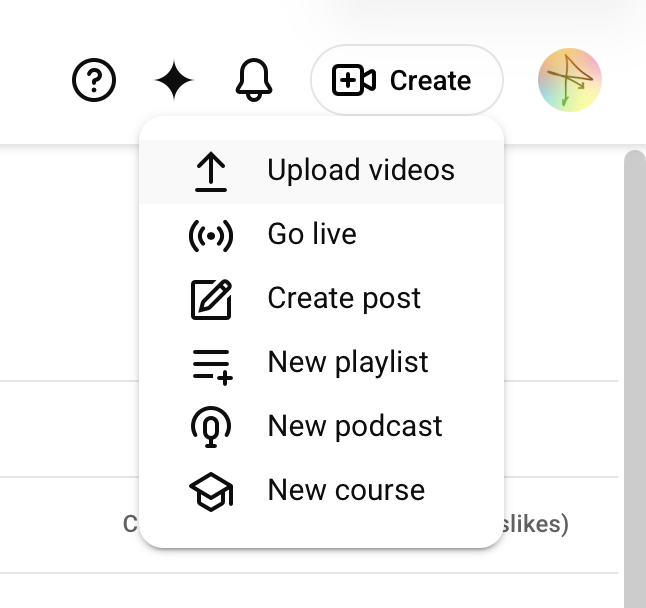
Start by uploading your video from whatever site you plan to host it from. In this example, we’re using YouTube.
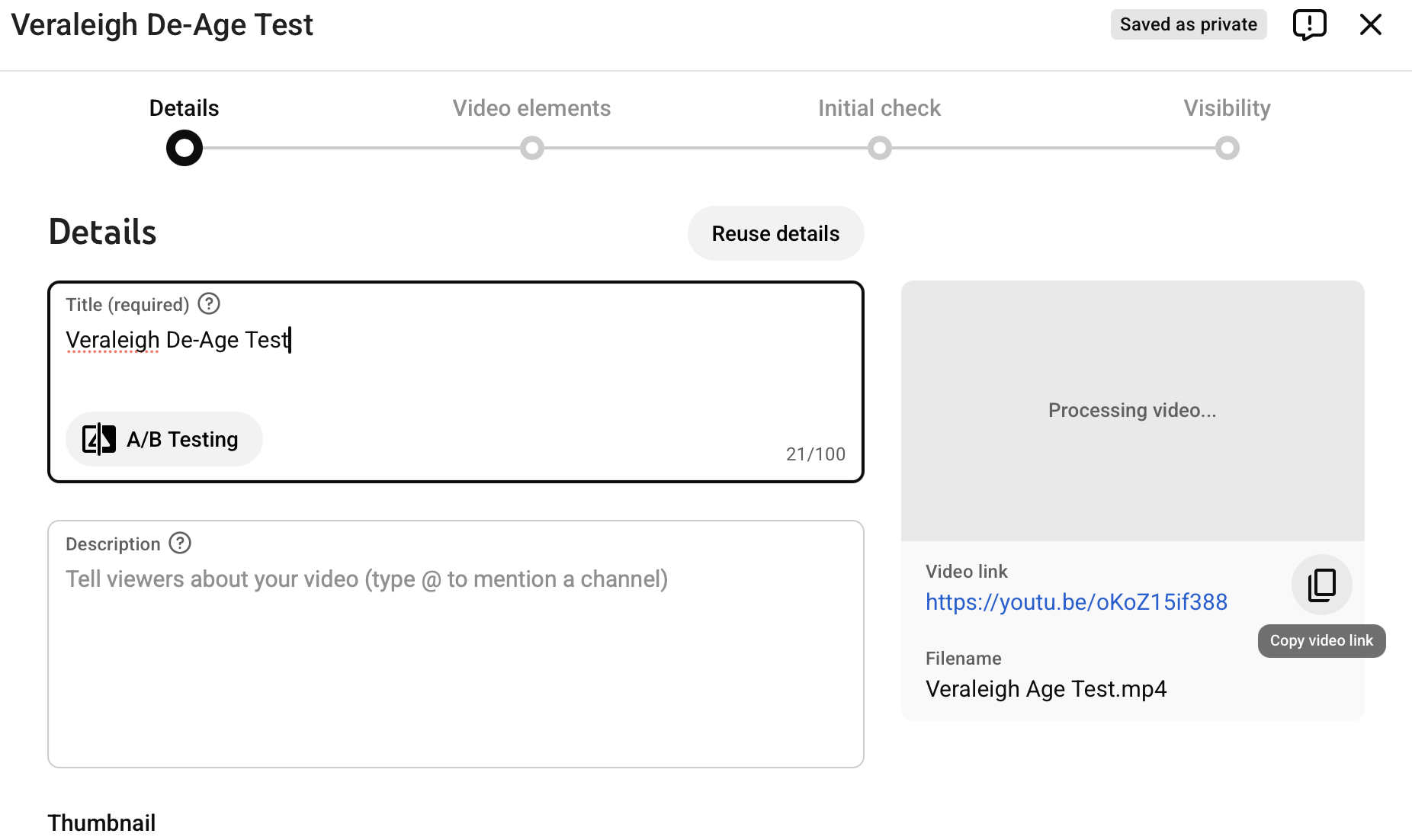
Once your video is uploaded, you’ll see that it’s processing/optimizing. It is not viewable in this state. But a link to it has automatically been created. This is what we need for safelisting. Immediately after upload, and while it’s processing, copy the video link highlighted in blue in this example.
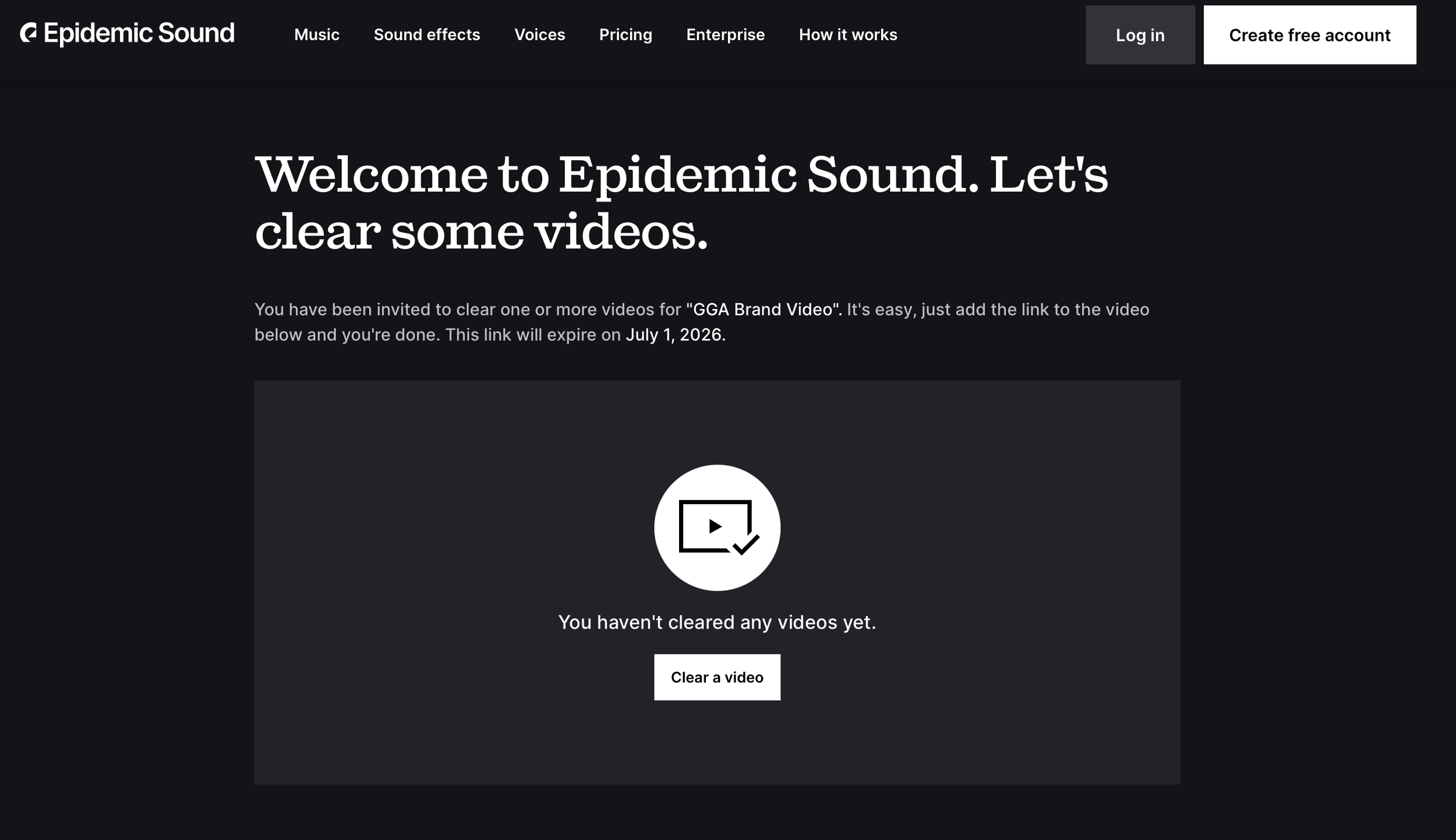
With that video link copied, click on the Epidemic Sound link I provided in my project closeout email and click on “Clear a video,” as shown here.
If you have multiple videos in your final deliverables package, make sure the Epidemic Sound link matches the video you’ve uploaded. You’ll see the description on the safelist page that says “You’ve been invited to clear one or more videos for “TITLE OF VIDEO”.
This “title of video” only matches the file name I gave your deliverable. Once your video is uploaded to your video hosting platform, you can change the title there.
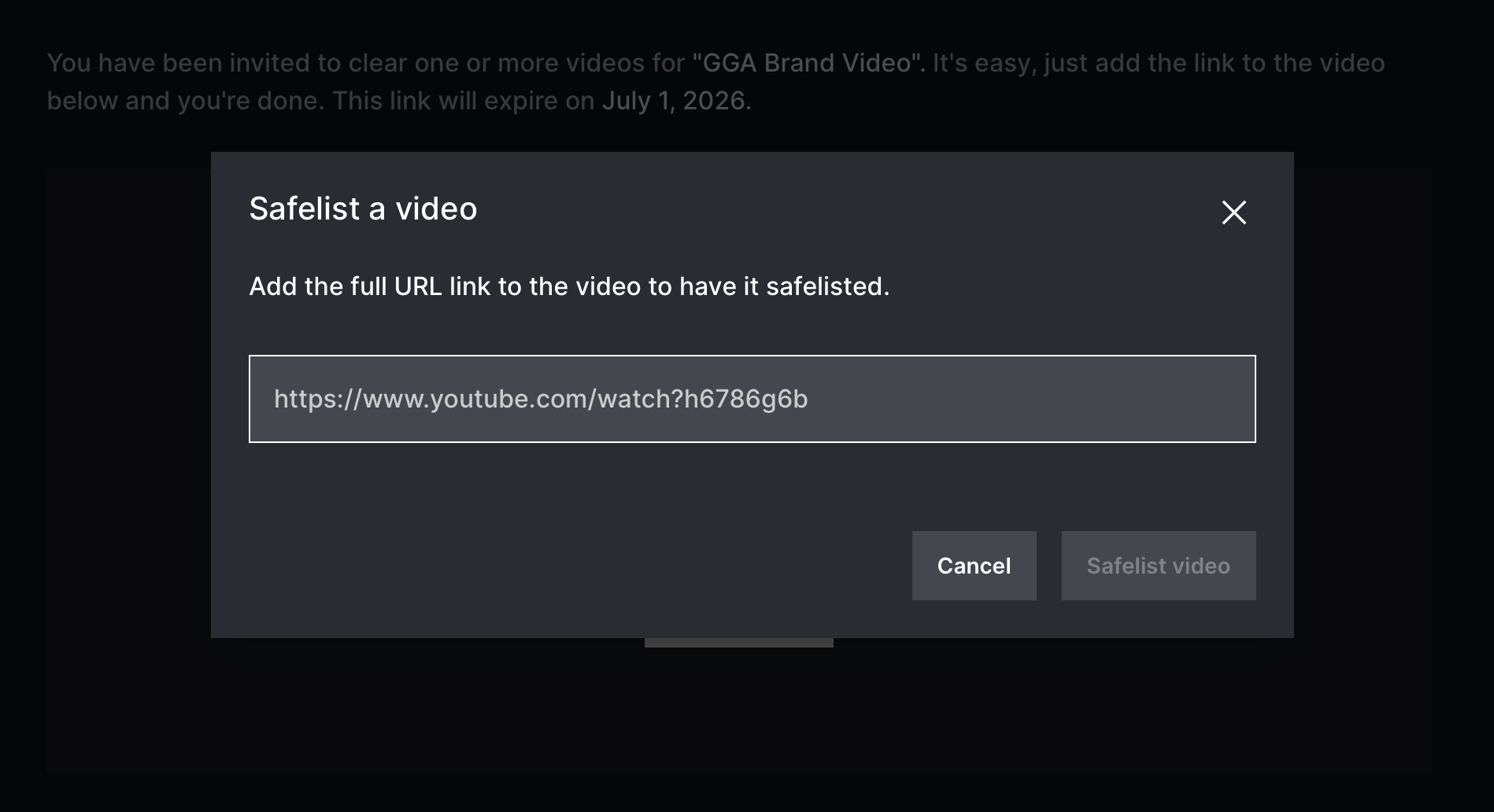
Once you click “Clear a video,” paste your video link and hit “Safelist video.” That’s it! You’re cleared to finish adding descriptions, tags, SEO, and whatever else before fully posting your video.